1 billion
meals wasted at home, every day


The app
Keep track of what is in your fridge and pantry on iPhone. See when food expires, get a reminder before it goes bad, scan barcodes, and build a shopping list that matches what you already have.
The problem
1 billion
meals wasted at home, every day
€1,000
a family of four spends each year on food that never gets eaten
79 kg
of food waste at home, per person, each year
60%
of consumer food waste happens in the household
UNEP Food Waste Index 2024 · WRAP, UK households, 2022
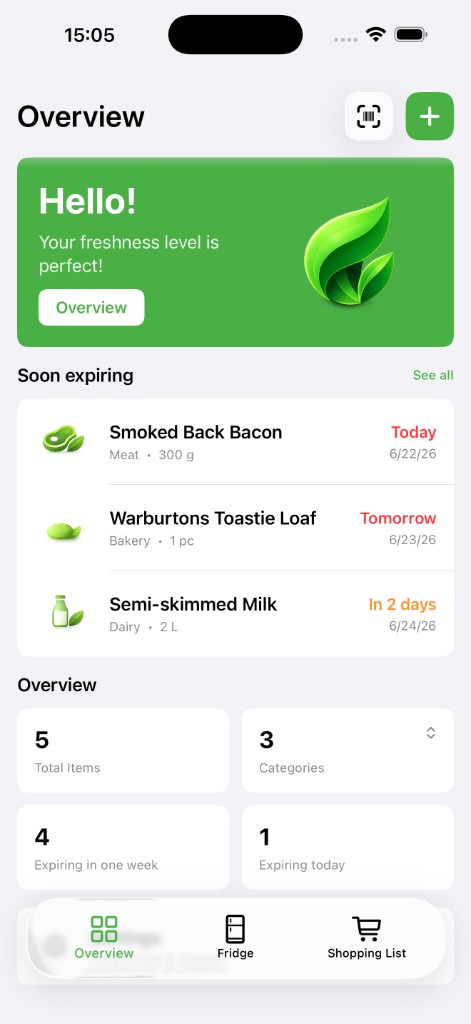
01 · Overview
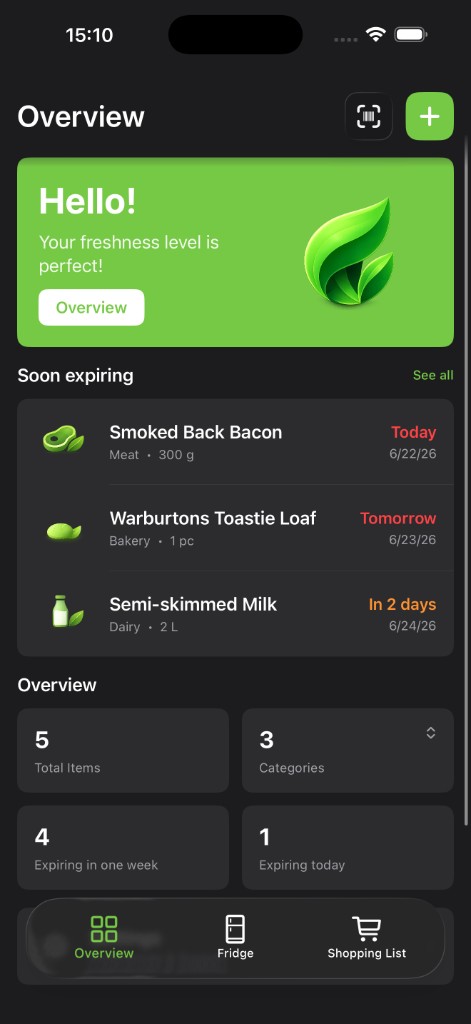
Open the app and the food that needs attention is right at the top. You see what expires today, tomorrow, and in the next few days, plus a streak for staying on top of it. Below that, a few simple counts show what your fridge really looks like.
Eat it while it’s still good.
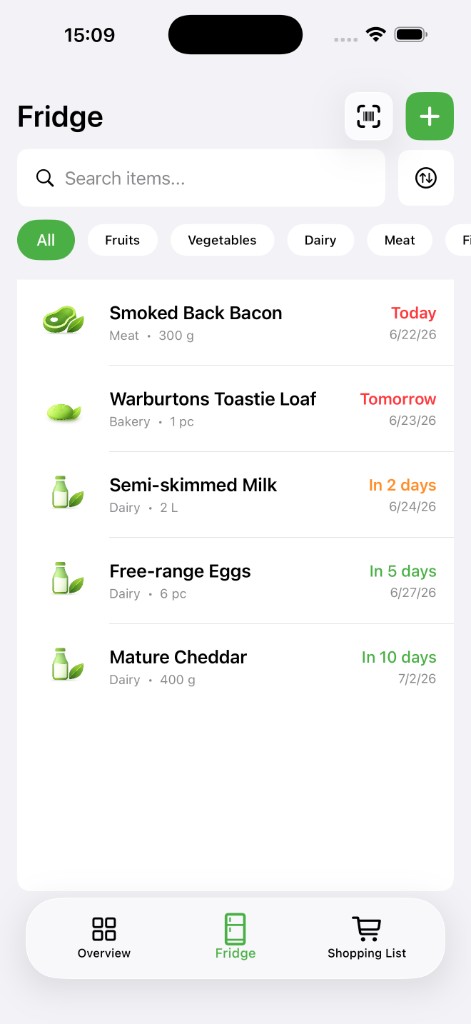
02 · Fridge
Put fridge and pantry food in one place. Filter by Fruits, Vegetables, Dairy, or Meat, or make your own categories. Search when you already know the name. Each row shows the amount next to the expiry date, so a quick look is enough.
03 · Shopping list
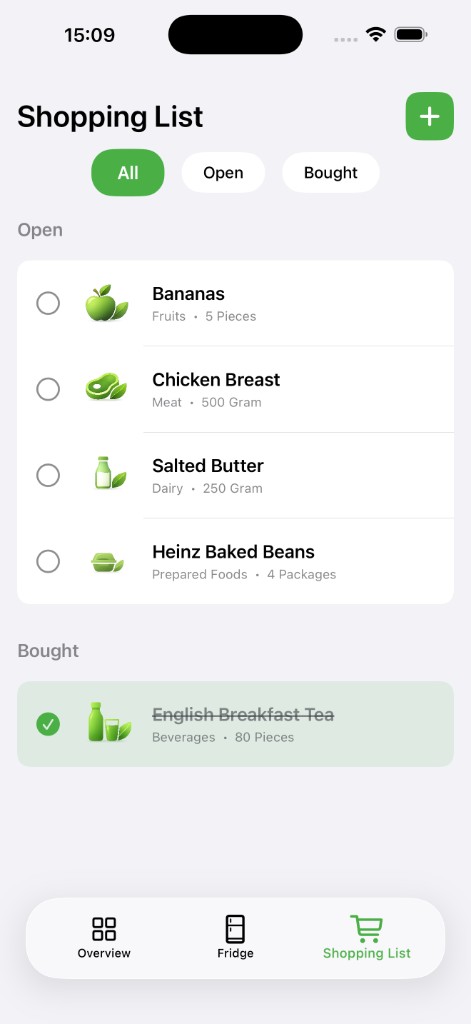
Build a grocery list that fits what you already have at home. Open items stay open. Bought items move aside, checked and shown in green. Save lists for later trips, and move things between the fridge and the list. What runs out becomes what you buy, and what you buy can go straight back into the fridge.
04 · Home Screen widgets
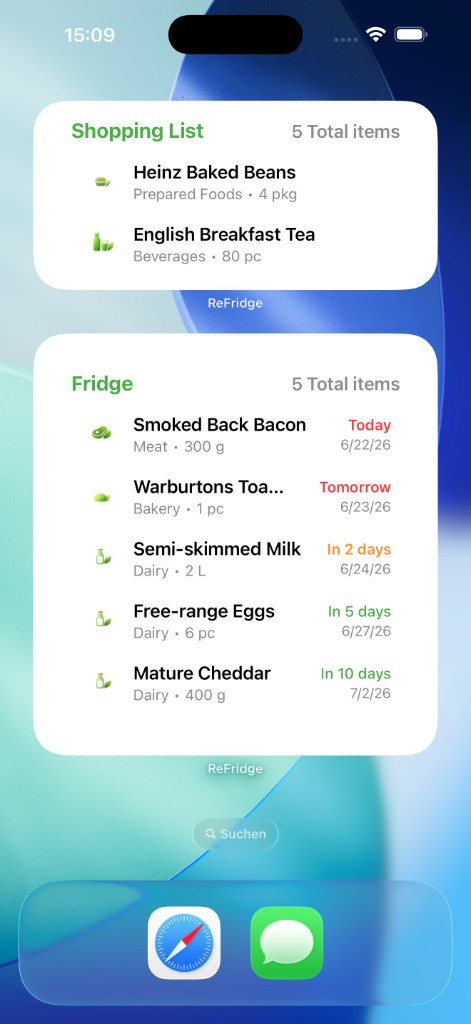
Pin ReFridge widgets next to your other apps. The shopping list shows what you still need. The fridge widget shows expiry dates, including what is due today, without opening the app.
05 · Dark mode
The same overview, just on a darker background. The green accents stay. The dates stay red, orange, and green. The counts stay easy to read when the kitchen lights are low.